PR 373 ISO/IEC 27001:2022 Auditor/Lead Auditor Training Course
Approved by:


The ISO 27001 Lead Auditor Course aims to provide learners with the knowledge and skills required to perform first, second and third-party audits of information security management systems against ISO/IEC 27001:2022 (with ISO/IEC 27002), in accordance with ISO 19011:2026 and ISO/IEC 17021-1:2015, as applicable. All references in this document to ISO standards are to the current versions unless otherwise stated. Learners who successfully complete this CQI and IRCA or Exemplar Global Certified ISO/IEC 27001:2022 Lead Auditor (ISMS) Training course (within the five years prior to making an application to become a certificated auditor) will satisfy the training requirements for initial certification as a CQI-IRCA or Exemplar Global ISMS auditor.
Loading sessions...

More
You can choose the curriculum & training that fits your needs
Answer a few quick questions, and we'll match you with tailored training recommendations designed for your career stage and industry.
Prior Knowledge Requirements
Recommend prior knowledge: CQI and IRCA Certified ISO/IEC 27001:2022 Foundation (ISMS) (FD134)
Management systems
Understand the Plan-Do-Check-Act (PDCA) cycle
a) Information security management
Knowledge of the following information security management principles and concepts:
Awareness of the need for information security;
The assignment of responsibility for information security;
Incorporating management commitment and the interests of stakeholders;
Enhancing societal values;
Using the results of risk assessments to determine appropriate controls to reach acceptable levels of risk;
Incorporating security as an essential element of information networks and systems;
The active prevention and detection of information security incidents;
Ensuring a comprehensive approach to information security management;
Continual reassessment of information security and making of modifications as appropriate
b) ISO/IEC 27001
Knowledge of the requirements of ISO/IEC 27001: 2022 (with ISO/IEC 27002) and the commonly used information security management terms and definitions, as given in ISO/IEC 27000:2022, which may be gained by completing CQI and IRCA or Exemplar Global Certified ISO/IEC 27001:2022 Foundation (ISMS) Training course or equivalent.
Virtual Technology Requirements
To participate in the virtual training sessions, you will need:
- Workplace Networks & VPN Connections
- In our experience, Workplace IT environments’ internal configurations and available software can vary (new or old), and there may be various limitations or other restrictions in place, and as such, the functionality of any Learning Management System (LMS) may be impacted, restricted, and may not perform well.
- The use of a VPN connection can result in poor performance and interfere with the SSO (Single Sign On) that connects users from our website and associated applications to their eLearning modules. We strongly recommend ensuring you are disconnected from a VPN or Proxy Server if experiencing any issues with accessing the eLearning modules.
- Recommended Operating Systems
- Windows 7/10, macOS Sierra, iPad iOS 10
- Mobile Devices
- The Kelmac Group Academy LMS is not available on a mobile app at this time. We recommend using a web browser on a mobile device to complete any eLearning modules. However, if completing any final assessment, we recommend completing it via a desktop browser.
- Internet Speed & Reliability
- We recommend using an internet connection of 256 Kbit/sec or faster, which will ensure that you can successfully access our eLearning modules. A stable connection is important to ensure you do not experience any outages during the completion of any module or any final assessment (s).
- Recommended Internet Browsers
- Google Chrome 32-bit version 50 or later (most recommended)
- Safari 10 or later
- Note: Add-ons and toolbars can affect any browser’s performance.
- Recommended Settings
- We recommend that the following settings be enabled:
- Cookies
- Pop-ups (in both Internet browsers and security software)
- JavaScript
- Plugins
- Latest Version of Adobe Flash Player
- Latest Version of Adobe Acrobat Reader
- To view all resources made available within our LMS, you will probably need Microsoft Office (Word, Excel, PowerPoint) or an equivalent (i.e, Open Office, Viewer) installed.
- Virtual Learning Technology Requirements
- General
- Laptop or desktop computer (Note: A tablet or mobile device is not suitable for this training)
- Advisory: Certain features ONLY work on the laptop/desktop version & each Learner will be required to actively participate in online exercises/assignments via virtual breakout rooms in groups
- Webcam – Built-in or USB plug-in
- Advisory: This is required to be enabled for the duration of any live or group exercises, as 100% attendance & participation are required on all virtual workshops. We must be able to verify attendance during live sessions and during any virtual breakout sessions.
- Speakers and a microphone – Built-in or USB plug-in. We strongly recommend a headset for this training.
- Advisory: A headset will ensure that each Learner can effectively communicate & listen. Plus, a headset will provide a better filter for any background noise or interference that may impact the Learner experience, and that of other Learners.
- Internet connection – Minimum of 1.0 Mbps
- Advisory: Naturally, each Learner should ensure that they have reliable access to the Internet during the training, either through a suitable Wi-Fi or wired connection. Any disruptions may cause difficulties during the training and, in certain cases, if large portions of the training are missed, a Learner may not be able to complete the program (Certification Criteria may not be met).
- Zoom Workday
- This is the platform we use for video and team collaboration. Approximately 1 week in advance, a calendar invite including a link to access training material where the course documentation & resources are located. This team’s environment will also be used for submitting/sharing completed individual and team-based assignments.
- We will be sharing access with the EMAIL ID that was provided to us when each Learner was registered for the course.
- It is important that each Learner verifies that they can access the Zoom Workday platform successfully in advance of the live workshops to avoid delays or their planned attendance being impacted by not being able to access the Zoom Wokrday platform during the training.
- For support with accessing the Zoom Platform, please contact one of our representatives for assistance in advance of the start date to ensure you can gain access on the date of your training.
- Mimeo DRM Application - Digital Course Material
- This is the platform we use for distributing digital versions of course material, ISO standards, case study material, and reference material. Please note International standards are subject to international copyright laws and are not available to download or print.
Course Overview
Advance your career in information security, Cyber Security and Privacy Protection auditing with our ISO 27001 Lead Auditor Course, based on ISO/IEC 27001:2022 and designed for professionals aiming to lead successful external and internal audits, as well as delegates who have relevant experience but may not have an internationally certified CQI-IRCA or Exemplar Global training certificate. This comprehensive program is available in In-Person/Classroom, Live/Virtual, or Blended Learning formats, ensuring flexibility for your learning needs. Through this training, you'll gain the essential skills and knowledge to confidently lead audit teams and assess conformity with the ISO/IEC 27001:2022 Information Security, Cyber Security and Privacy Protection Management System standard. Whether you're stepping into information security, cyber security, or privacy security auditing or looking to enhance your expertise, this ISO 27001 Lead Auditor Course provides the tools to achieve excellence. Start your journey toward becoming a certified leader in Information Security, Cyber Security and Privacy Protection auditing today!

Learning Objectives
Knowledge
Explain the purpose and business benefits of an information security management system, information security management system standards, management system audits, and third-party certification.
Explain the role of an auditor to plan, conduct, report, and follow up an information security management system audit in accordance with ISO 19011:2026 and ISO/IEC 17021-1:2015, where appropriate.
Skills
Plan, conduct, report, and follow up an audit of an information security management system to establish conformity (or otherwise) with ISO/IEC 27001:2022 (with ISO/IEC 27002) in accordance with ISO 19011:2026 and ISO/IEC 17021-1:2015, where appropriate, as covered in the ISO 27001 Lead Auditor Course.
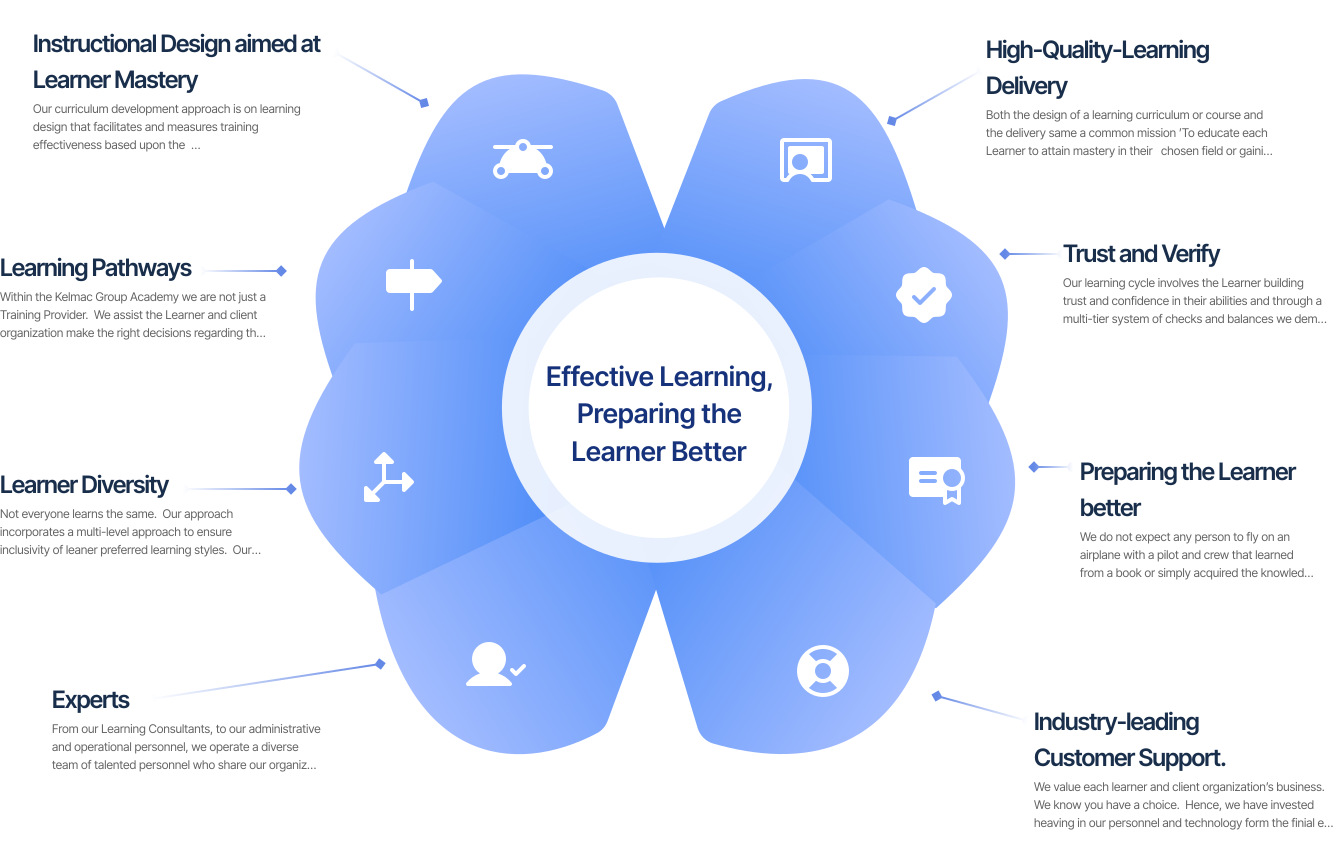
Our Methodology
Introducing our skilled Consultants!

Gerard Kelly
Principal Consultant
Syllabus breakdown
Introduction and Welcome
- Course Introduction and Welcome
- Course Certification
- Course Learning Objectives
- Course Program/Rules
- Auditor Certification
- Privacy, Data Processing, Special Considerations,
- Course Materials
- Virtual Platform Overview
- Learner Support
Introduction to ISO/IEC 27001:2022
- Purpose and Benefits of an Information Security, Cyber Security and Privacy Protection Management System
- ISO/IEC 27001:2022 Overview and Structure
- Management System Principles and their relevance
- ISO/IEC 27000:2022 Family of Standards
- ISO/IEC 27001:2022 Process Model
- ISO/IEC 27001:2022 Key Concepts
- ISO/IEC 27001:2022 Terminology
- ISO/IEC 27001:2022 Requirements [Overview only]
ISO 19011:2026 Purpose, scope and Requirements
- Overview and Context
- Introduction, Scope and Structure
- Terminology
- Audit Principles
- Audit Program
- Audit Life Cycle
- Auditor Roles and Responsibilities
- Auditor Behaviors
- Auditor Competency, Evaluation and Performance
Audit Initiation and Planning
- Initiation and Activities
- Audit Preparation Activities
- Document and Data Review
- Audit Risks and Opportunities
- Audit Planning, Sequence and Strategy
- Audit Checklist/PEAR Report
- Audit File
- Final Audit Preparation Requirement Activities
Audit Examination / Debrief
- Examination Overview/De-Brief and Resources
- Examination Platform and Access
- Examination Preparation and Evaluation
- Examination Practice and Review
conducting the Audit
- Audit Investigation - Case Study Exercise
- Audit Findings
- Audit Examination Preparation
Conducting the Audit
- Closing/Exit Meeting Role Play Exercise
Audit Post-Delivery
- Audit Post-Delivery Activities
- Reviewing Non-Conformities including Closure
- Extent Analysis, Root Cause Analysis, Correction, Corrective Action
- Correction/Corrective Action Implementation and Monitoring
- Corective/Corective Action Verification
- Corrective Action/Corrective Action Effectiveness Review
- Audit Completion
- Audit Program Review and Update
Clase Close
- Summary/Review of Learning Objectives
- Examination Strategy
- Examination Results/Training Certificate
- Class Evaluation
- Class Close
Frequently Asked Questions
Yes, this is a CQI-IRCA Certified Lead Auditor programme under Course ID 2604. The course is designed to build and verify your competence to audit a complete Information Security Management System, known as an ISMS, against ISO/IEC 27001:2022. It also includes formal assessment requirements aligned with Auditor and Lead Auditor expectations.
This course is intended for professionals who need to audit a complete Information Security Management System against the requirements of ISO/IEC 27001:2022. It is particularly suitable for learners involved in second-party audits, such as customer or supplier audits, and third-party audits, including certification-focused audit activities. It is also suitable for those preparing to work in these audit environments. As this is a five-day intensive training programme with practical audit activities and a final examination, it is best suited to learners who are ready for a more advanced and demanding level of auditor training.
Yes, before registering for this course, you should already be familiar with the requirements of ISO/IEC 27001:2022, or you should have completed ISMS Fundamentals training beforehand. This background knowledge is required because it provides the essential foundation needed for Auditor and Lead Auditor training. It also helps ensure that you can fully engage with the full audit lifecycle activities covered during the course, including audit planning, conducting audits, reporting audit results, and following up on audit outcomes.
This course is the right level if your goal is to develop the competence to perform and lead audits of a complete Information Security Management System, rather than simply understand the standard requirements. The course is structured around the full audit lifecycle, including planning, conducting, reporting, and follow-up. If you are new to ISO/IEC 27001:2022, then a Fundamentals course would be the best starting point before progressing to Lead Auditor training.
The delivery format for your course will be confirmed at the time of registration. If your cohort is delivered virtually, the training will take place on the Zoom platform, and you will receive the relevant joining instructions, access details, and platform guidance in advance. To participate effectively, you will need a stable internet connection and a laptop, desktop, iPad, or other tablet device that supports the required platform, together with working audio and an active web camera.
The course is practical and skills-focused, not just theory-based. It includes consultant-facilitated activities and follows a structured audit approach aligned with the ISO 19011 audit lifecycle. There is also a strong emphasis on audit tools, audit techniques, auditor behaviours, and the responsibilities expected of a Lead Auditor.
Yes, learners complete a facilitated audit covering the full audit lifecycle. During this practical audit work, learners apply audit planning, evidence gathering, findings development, and reporting methods in practice. Competence is developed and verified through structured course activities and applied audit work.
Yes, the course includes a final CQI-IRCA online, computer-marked examination. The exam forms part of the formal assessment requirements for successful course completion. Successful completion of both the course and examination supports achievement of the programme outcome in line with CQI-IRCA requirements.
After completing the course, you will be able to plan, conduct, report, and follow up audits of a complete Information Security Management System against ISO/IEC 27001:2022. You will also be able to apply the ISO 19011 audit lifecycle across different ISMS audit scenarios in a structured and professional manner. In addition, you will be able to deliver evidence-based audit findings and conclusions that support ISMS effectiveness, conformity, and continual improvement.
This Lead Auditor course focuses on auditing a complete Information Security Management System through a structured, facilitated audit approach. It places strong emphasis on consistent interpretation of ISO/IEC 27001:2022 requirements, together with the evaluation of information security controls, risk, and system effectiveness. The course also provides practical development of auditor tools, techniques, behaviours, and the leadership capability expected of professional Lead Auditors.
An ISO/IEC 27001 Auditor/Lead Auditor course focuses on external audits and provides the knowledge and practical skills required to plan, conduct, manage, and report audits of an Information Security Management System (ISMS) against ISO/IEC 27001:2022 requirements. It helps participants develop the competence needed to lead audit activities and evaluate the effectiveness of an organization's information security management system.
ISO/IEC 27001:2022 Auditor/Lead Auditor training provides an overview of the requirements of ISO/IEC 27001:2002 and ISO/IEC 27002:2022. Its primary focus is on external audits, i.e. audit initiation, audit planning and preparation, audit risk and opportunities, collecting and evaluating audit evidence, the selection and evaluation of audit methods, evaluating conformity, identifying conformities/nonconformities, preparing audit conclusion statement/audit reports, corrections and corrective actions, and post-audit follow-up activities.
The course develops practical external auditing skills encompassing the full requirements of ISO/IEC 27001:2022 and the specific controls under guidance from ISO/IEC 27002:2022. including planning audit activities, conducting interviews, reviewing documented information, gathering and evaluating objective evidence, assessing conformity, documenting audit findings, preparing audit reports, and managing follow-up activities. These skills help participants conduct systematic and effective ISMS audits.
Yes. ISO 27001 Lead Auditor training is suitable for information security and IT professionals, internal and external auditors, risk and compliance professionals, consultants, managers, and others involved in implementing, maintaining, or auditing an Information Security Management System. It should be emphasised that the adoption of an ISMS is a company or organization wide system and it affects Information Asset Owners, Audit and Risk committees, C-Suite leaders and Compliance professionals.
Completing an ISO/IEC 27001 Auditor/Lead Auditor course is an Internationally recognised qualification recognised by industry, IAF Certification Bodies, Government organizations responsible for meeting Regulatory information security, cyber security and privacy requirements. . The training can support professional responsibilities involving information security auditing, risk management, compliance, governance, internal auditing, and management system improvement.
Virtual Technology Requirements
To participate in the virtual training sessions, you will need:
- A current generation laptop or desktop computer with the latest web browser installed, capable of handling multiple software applications at the same time (a tablet or mobile device is not suitable for this training).
- HD webcam (built-in or USB plug-in).
- Speakers and a microphone (built-in or USB plug-in). A headset is highly recommended for optimal audio quality.
- Internet connection with a minimum of 2.5 Mbps download and 3.0 Mbps upload.
- Two display monitors are highly recommended: one for joining the virtual classroom and viewing e-course documentation (if applicable), and the other for completing class exercises and assignments.
Similar Courses

FD 134 ISO/IEC 27001:2022 Foundation Training Course
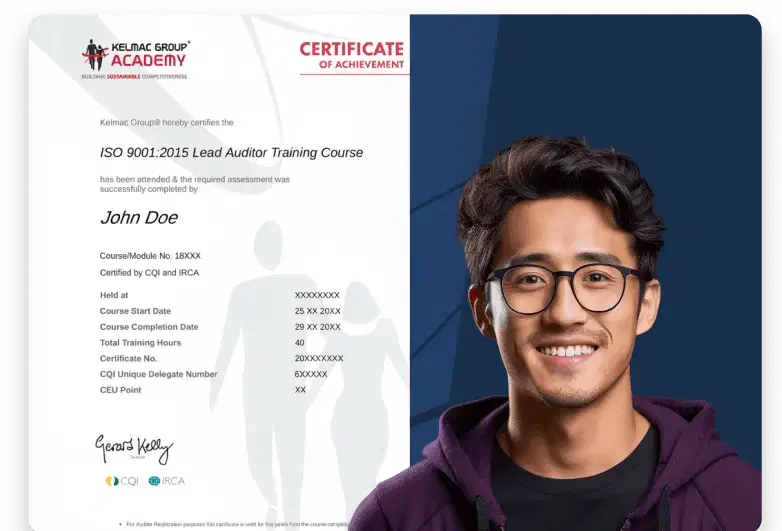
View Sample Certificate of Completion
Upon successful completion, each learner shall receive a digital Certificate of Completion that is recognized globally.