This ISO 13485 internal auditor training course aims to provide learners with the knowledge and skills required to perform an internal audit of part of a quality management system based on ISO 13485 and applicable international regulatory standards report on the effective implementation and maintenance of the management system in accordance with ISO 19011:2026. Note: this document references ISO 13485 as the medical device management system standard that provides the context for the internal audit. However, this course does not address ISO 13485 in detail and does not aim to equip learners with the knowledge and skills to determine conformity, or otherwise, with ISO 13485. Learners requiring the knowledge and skills to conduct an entire medical device quality management system audit against ISO 13485 should be directed to attend a CQI and IRCA or Exemplar Global Certified MD-QMS ISO 13485:2016 Lead Auditor (PR369) course.
ISO 13485 Internal Auditor Training Course
Approved by:


Loading sessions...

More
You can choose the curriculum & training that fits your needs
Answer a few quick questions, and we'll match you with tailored training recommendations designed for your career stage and industry.
Prior Knowledge Requirements
Recommended prior knowledge:
ISO 13485
An understanding of the requirements of ISO 13485 and the commonly used quality management terms and definitions, which may be gained by completing a CQI and IRCA Certified MD-QMS ISO 13485:2016 Foundation (FD132) course or equivalent.
Medical device management systems audit
The Plan, Do, Check, Act (PDCA) cycle.
The core elements of a management system and the interrelationship between top management responsibility, policy, compliance with regulatory authority requirements, objectives, planning, implementation, measurement, review, and continual improvement.
The fundamental concepts and the seven quality management principles (see ISO 9000).
The relationship between quality management, regulatory authority, and customer requirements.
The ISO 19011 audit process.
Regulatory authority requirements not directly covered in ISO 13485.
Virtual Technology Requirements
To participate in the virtual training sessions, you will need:
Workplace Networks & VPN Connections
In our experience, Workplace IT environments’ internal configurations and available software can vary (new or old), and there may be various limitations or other restrictions in place, and as such, the functionality of any Learning Management System (LMS) may be impacted, restricted, and may not perform well.
The use of a VPN connection can result in poor performance and interfere with the SSO (Single Sign On) that connects users from our website and associated applications to their eLearning modules. We strongly recommend ensuring you are disconnected from a VPN or Proxy Server if experiencing any issues with accessing the eLearning modules.
Recommended Operating Systems
Windows 7/10, macOS Sierra, iPad iOS 10
Mobile Devices
The Kelmac Group Academy LMS is not available on a mobile app at this time. We recommend using a web browser on a mobile device to complete any eLearning modules. However, if completing any final assessment, we recommend completing it via a desktop browser.
Internet Speed & Reliability
We recommend using an internet connection of 256 Kbit/sec or faster, which will ensure that you can successfully access our eLearning modules. A stable connection is important to ensure you do not experience any outages during the completion of any module or any final assessment (s).
Recommended Internet Browsers
Google Chrome 32-bit version 50 or later (most recommended)
Safari 10 or later
Note: Add-ons and toolbars can affect any browser’s performance.
Recommended Settings
We recommend that the following settings be enabled:
Cookies
Pop-ups (in both Internet browsers and security software)
JavaScript
Plugins
Latest Version of Adobe Flash Player
Latest Version of Adobe Acrobat Reader
To view all resources made available within our LMS, you will probably need Microsoft Office (Word, Excel, PowerPoint) or an equivalent (i.e. Open Office, Viewer) installed.
Virtual Learning Technology Requirements
General
Laptop or desktop computer (Note: A tablet or mobile device is not suitable for this training)
Advisory: Certain features ONLY work on the laptop/desktop version & each Learner will be required to actively participate in online exercises/assignments via virtual breakout rooms in groups
Webcam – Built-in or USB plug-in
Advisory: This is required to be enabled for the duration of any live or group exercises, as 100% attendance & participation are required on all virtual workshops. We must be able to verify attendance during live sessions and during any virtual breakout sessions.
Speakers and a microphone – Built-in or USB plug-in. We strongly recommend a headset for this training.
Advisory: A headset will ensure that each Learner can effectively communicate & listen. Plus, a headset will provide a better filter for any background noise or interference that may impact the Learner experience, and that of other Learners.
Internet connection – Minimum of 1.0 Mbps
Advisory: Naturally, each Learner should ensure that they have reliable access to the Internet during the training, either through a suitable Wi-Fi or wired connection. Any disruptions may cause difficulties during the training and, in certain cases, if large portions of the training are missed, a Learner may not be able to complete the program (Certification Criteria may not be met).
Zoom Workday
This is the platform we use for video and team collaboration. Approximately 1 week in advance, a calendar invite including a link to access training material where the course documentation & resources are located. This team’s environment will also be used for submitting/sharing completed individual and team-based assignments.
We will be sharing access with the EMAIL ID that was provided to us when each Learner was registered for the course.
It is important that each Learner verifies that they can access the Zoom Workday platform successfully in advance of the live workshops to avoid delays or their planned attendance being impacted by not being able to access the Zoom Workday platform during the training.
For support with accessing the Zoom Platform, please contact one of our representatives for assistance in advance of the start date to ensure you can gain access on the date of your training.
Mimeo DRM Application - Digital Course Material
This is the platform we use for distributing digital versions of course material, ISO standards, case study material, and reference material. Please note International standards are subject to international copyright laws and are not available to download or print.
Course Overview
The aim of this course is to provide delegates with the knowledge and skills required to perform an internal audit of part of a Medical Device Quality Management System based on ISO 13485:2016 and report on the effective implementation and maintenance of the management system in accordance with ISO 19011:2026.
Note: ISO 13485:2016 as the Medical Device Quality Management System standard that provides the context for the internal audit. However, this course does not address ISO 13485:2016 in detail and does not aim to equip delegates with the knowledge and skills to determine conformity, or otherwise, with ISO 13485:2016.
Delegates requiring the knowledge and skills of how to apply ISO 13485:2016, Medical Device Management System - Requirements, should attend a CQI and IRCA or Exemplar Global Certified ISO 13485:2016 Foundation training course before attending a CQI and IRCA or Exemplar Global Certified ISO 13485:2016 Internal Auditor or Auditor/Lead Auditor training course.

Learning Objectives
Knowledge
With reference to the PDCA cycle, explain the process-based quality management system model for ISO 13485:2016 and the role of an internal audit in the maintenance and improvement of quality management systems in an ISO 13485 Internal Auditor Training context.
Explain the role and responsibilities of an auditor to plan, conduct, report, and follow-up an internal quality management system audit, in accordance with ISO 19011:2026.
Skills
Plan, conduct, report, and follow-up an internal audit of part of a quality management system based on ISO 13485:2016, and in accordance with ISO 19011:2026, as covered in an ISO 13485 Internal Auditor Course.
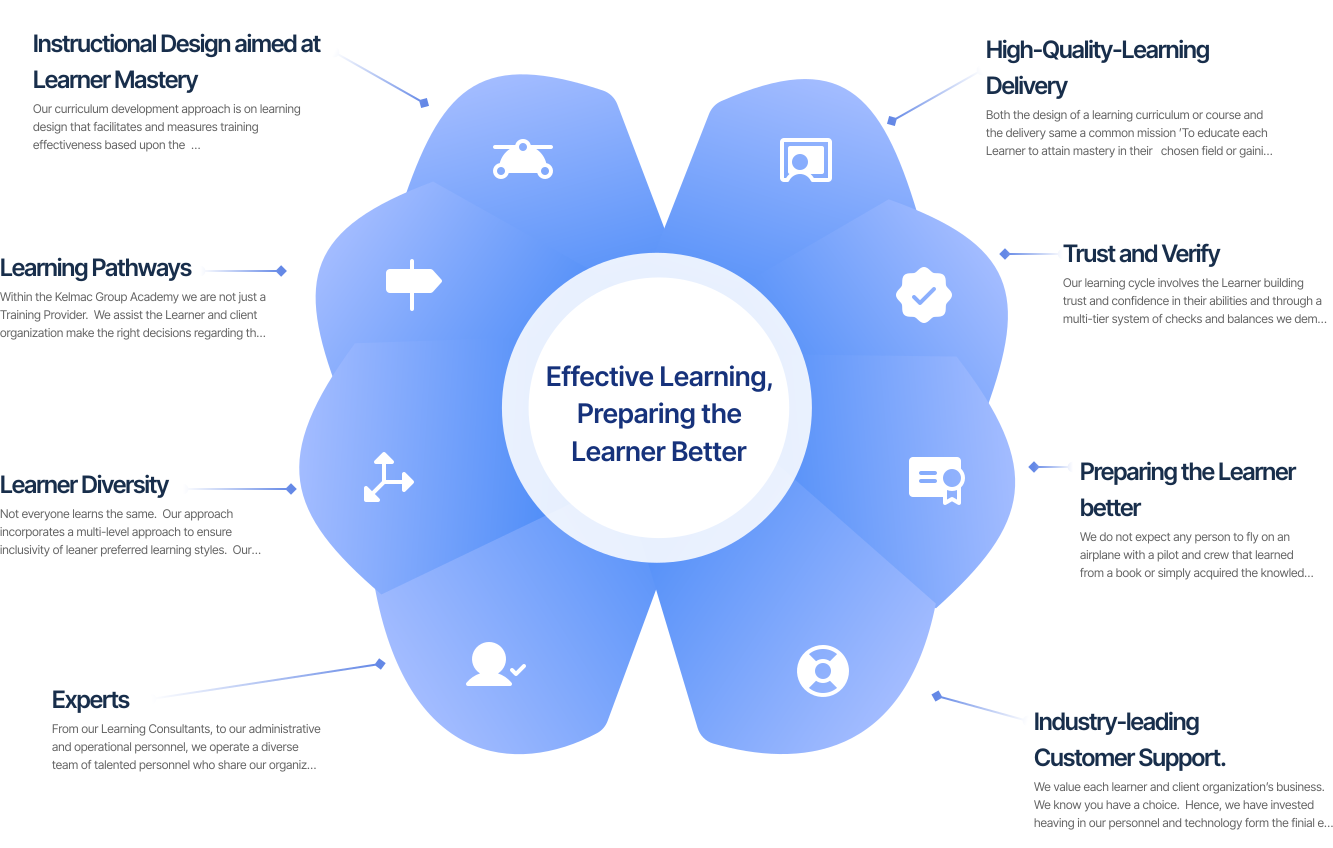
Our Methodology
Introducing our skilled Consultants!

Gerard Kelly
Principal Consultant
Syllabus breakdown
Introduction and Welcome
- Course Introduction and Welcome
- Course Certification
- Course Learning Objectives
- Course Program/Rules
- Auditor Certification
- Privacy, Data Processing, Special Considerations,
- Course Materials
- Virtual Platform Overview
- Learner Support
Introduction to ISO 13485:2016
- Purpose and Benefits of a Medical Device Quality Management System
- ISO 13485:2016 Overview and Structure
- Management System Principles and their relevance
- ISO 13485:2016 Process Model
- ISO 13485:2016 Key Concepts
- ISO 13485:2016 Terminology
- ISO 13485:2016 Requirements [Overview only]
ISO 19011:2026 Purpose, Scope and Requirements
- Overview and Context
- Introduction, Scope and Structure
- Terminology
- Audit Principles
- Audit Program
- Audit Life Cycle
- Auditor Roles and Responsibilities
- Auditor Behaviors
- Auditor Competency, Evaluation and Performance
Audit Initiation and Preparation
- Audit Initiation
- Audit Risks and Opportunities
- Audit Plan Exercise
- Audit Checklist Exercise
Conducting the Audit
- Audit Meetings
- Opening Meeting Role Play Exercise
- Audit Evidence
- Audit Findings
- Collecting Audit Evidence Exercise
Audit Reporting
- Audit Conclusion Statement/Audit Report
- Closing/Exit Meeting Role Play Exercise
- Audit Post-Delivery Activities
- Extent Analysis, Root Cause Analysis, Correction, Corrective Action
Class Close
- Summary/Review of Learning Objectives
- Training Certificate
- Class Evaluation
- Class Close
Frequently Asked Questions
An ISO 13485 internal auditor course, also known as ISO 13485 internal auditor training, develops the knowledge and skills to plan, conduct, report and follow up internal audits of a medical device quality management system. The ISO 13485 internal auditor training course focuses on auditing processes or areas within an organisation and evaluating objective evidence against the relevant QMS requirements.
It is suitable for quality assurance and regulatory affairs professionals, process owners, manufacturing and engineering personnel, supplier-quality staff and others who are involved in internal or supplier audits within a medical device organisation. It is relevant to anyone who needs to work as an ISO 13485 internal auditor.
Learners should already understand the requirements of ISO 13485:2016 and basic quality management concepts before attending the ISO 13485 2016 internal auditor course. This knowledge may come from relevant work experience or a foundation-level ISO 13485 course. Review the official course entry requirements before registering.
You will learn how to prepare an audit, define its scope, use audit plans and checklists, conduct interviews and document reviews, collect and evaluate objective evidence, identify and report findings, and contribute to corrective-action follow-up. The programme also covers auditor responsibilities and the audit lifecycle.
The published duration of ISO 13485 2016 internal auditor training should be checked against the scheduled cohort, because the course listing and related catalogue information may show different hour totals. Contact Kelmac Group for the confirmed timetable and total learning hours before booking.
Kelmac Group lists online delivery for this course. For ISO 13485 internal auditor online training, the exact delivery format and schedule are confirmed for each session. Check the course calendar or contact the training team for current live-online and other available options.
No. The current Kelmac Group FAQ states that there is no separate final written or online certification exam. Successful completion is based on full attendance and satisfactory in-class assessment, including participation and practical learning activities. Confirm the assessment rules for your scheduled cohort before enrolment.
The course page identifies the programme as a CQI-IRCA Certified Internal Auditor Training Course (Course ID 2481). If you meet the programme’s attendance and assessment requirements, you are eligible for the ISO 13485 internal auditor certificate. Ask Kelmac Group to confirm the exact certificate wording and any registration requirements that apply to your intended use.
No. Course completion is evidence of training, not an automatic guarantee of professional registration or appointment by an organisation. Auditor appointment depends on demonstrated competence, relevant experience, impartiality and the applicable registration or organisational criteria.
An internal audit is conducted for the organisation to evaluate its own QMS and identify whether processes are implemented and effective. An external certification audit is performed by an independent certification body to assess the organisation against the applicable certification requirements. Internal auditor training is focused on the former and does not by itself qualify a learner to perform third-party certification audits.
An organisation should establish and maintain an internal audit programme at planned intervals. The programme should take account of process importance, changes affecting the organisation, previous audit results and relevant risks. Audit frequency should be justified by the organisation’s QMS needs rather than copied from a generic schedule.
The ISO 13485 internal auditor course price may vary with the delivery format, location, session date and group size. ISO 13485 internal auditor course fees may also include applicable taxes. Check the current course booking details or contact Kelmac Group for the latest fee and any corporate training quotation.
Yes. Internal auditor training develops skills for auditing parts of an organisation’s QMS. If you want to develop the broader competence to audit a complete medical device QMS and lead audit activities, review the entry requirements for the ISO 13485 Auditor/Lead Auditor programme.
Yes. ISO 13485 internal auditor certification through Kelmac Group means completing the ISO 13485 internal auditor certification course and meeting its attendance and assessment requirements, which leads to the course certificate described above. ISO 13485 2016 internal auditor certification means the course is based on ISO 13485:2016. It recognises course completion and is not an auditor registration.
Yes. ISO 13485 internal audit training, an ISO 13485 internal audit course and ISO 13485 internal audit certification all describe the same type of programme as ISO 13485 internal auditor training. You learn to plan, conduct, report on and follow up internal audits of a QMS. Kelmac Group offers ISO 13485 internal auditor courses for people who audit their own organisation’s QMS, while lead auditor training suits those who lead audits of a complete QMS.
Virtual Technology Requirements
To participate in the virtual training sessions, you will need:
Workplace Networks & VPN Connections
In our experience, Workplace IT environments’ internal configurations and available software can vary (new or old), and there may be various limitations or other restrictions in place, and as such, the functionality of any Learning Management System (LMS) may be impacted, restricted, and may not perform well.
The use of a VPN connection can result in poor performance and interfere with the SSO (Single Sign On) that connects users from our website and associated applications to their eLearning modules. We strongly recommend ensuring you are disconnected from a VPN or Proxy Server if experiencing any issues with accessing the eLearning modules.
Recommended Operating Systems
Windows 7/10, macOS Sierra, iPad iOS 10
Mobile Devices
The Kelmac Group Academy LMS is not available on a mobile app at this time. We recommend using a web browser on a mobile device to complete any eLearning modules. However, if completing any final assessment, we recommend completing it via a desktop browser.
Internet Speed & Reliability
We recommend using an internet connection of 256 Kbit/sec or faster, which will ensure that you can successfully access our eLearning modules. A stable connection is important to ensure you do not experience any outages during the completion of any module or any final assessment (s).
Recommended Internet Browsers
Google Chrome 32-bit version 50 or later (most recommended)
Safari 10 or later
Note: Add-ons and toolbars can affect any browser’s performance.
Recommended Settings
We recommend that the following settings be enabled:
Cookies
Pop-ups (in both Internet browsers and security software)
JavaScript
Plugins
Latest Version of Adobe Flash Player
Latest Version of Adobe Acrobat Reader
To view all resources made available within our LMS, you will probably need Microsoft Office (Word, Excel, PowerPoint) or an equivalent (i.e. Open Office, Viewer) installed.
Virtual Learning Technology Requirements
General
Laptop or desktop computer (Note: A tablet or mobile device is not suitable for this training)
Advisory: Certain features ONLY work on the laptop/desktop version & each Learner will be required to actively participate in online exercises/assignments via virtual breakout rooms in groups
Webcam – Built-in or USB plug-in
Advisory: This is required to be enabled for the duration of any live or group exercises, as 100% attendance & participation are required on all virtual workshops. We must be able to verify attendance during live sessions and during any virtual breakout sessions.
Speakers and a microphone – Built-in or USB plug-in. We strongly recommend a headset for this training.
Advisory: A headset will ensure that each Learner can effectively communicate & listen. Plus, a headset will provide a better filter for any background noise or interference that may impact the Learner experience, and that of other Learners.
Internet connection – Minimum of 1.0 Mbps
Advisory: Naturally, each Learner should ensure that they have reliable access to the Internet during the training, either through a suitable Wi-Fi or wired connection. Any disruptions may cause difficulties during the training and, in certain cases, if large portions of the training are missed, a Learner may not be able to complete the program (Certification Criteria may not be met).
Zoom Workday
This is the platform we use for video and team collaboration. Approximately 1 week in advance, a calendar invite including a link to access training material where the course documentation & resources are located. This team’s environment will also be used for submitting/sharing completed individual and team-based assignments.
We will be sharing access with the EMAIL ID that was provided to us when each Learner was registered for the course.
It is important that each Learner verifies that they can access the Zoom Workday platform successfully in advance of the live workshops to avoid delays or their planned attendance being impacted by not being able to access the Zoom Workday platform during the training.
For support with accessing the Zoom Platform, please contact one of our representatives for assistance in advance of the start date to ensure you can gain access on the date of your training.
Mimeo DRM Application - Digital Course Material
This is the platform we use for distributing digital versions of course material, ISO standards, case study material, and reference material. Please note International standards are subject to international copyright laws and are not available to download or print.
Similar Courses
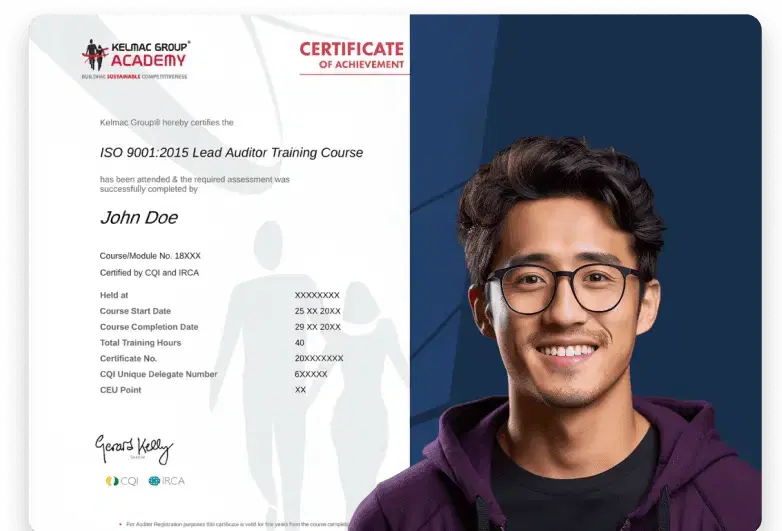
View Sample Certificate of Completion
Upon successful completion, each learner shall receive a digital Certificate of Completion that is recognized globally.